
Homework 0#
Due date: Friday, July 10, 2026 at 11:59 pm CT (same as HW 1). This is an ungraded practice homework, but try to finish it as soon as possible during the first week.
Link to Assignment: https://classroom.github.com/a/yuuC4j0j
Setting up your computing environment#
You will need to install these and make these accounts to complete the homework in this course.
Before the first class, please make sure to install the required software and sign up for the required services. Students will need to install the following software on their laptop. Each of these pieces of software are free:
Visual Studio Code (NOT Visual Studio. Visual Studio Code is different from Visual Studio)
GitKraken You will need to use GitKraken Client Pro, which is available for free for students.
Students should also sign up for an account with the following websites. We will use free versions of each of these services:
Wharton Research Data Services (WRDS) Apply for access through the University of Chicago, using the registration form here. For any issues that may arise, please contact the WRDS representative for UChicago’s Mathematics department, John Zekos, zekos@math.uchicago.edu.
Getting connected to the course discussion board#
Make sure to “watch” the textbook repository so that you will be notified of new posts on the course discussion board. Click the “watch” button on the top right of the page.
Consider, if you’d like, posting an introduction here on the course discussion board: orgs/finm-32900#2 . Post a message explaining that you’re looking for a partner to work on the homework with and to work on the final project with.
How to submit HW: Go through in-class HW example#
Go through the in-class HW example together. The link for the GitHub Classroom assignment is above.
Unit Tests and GitHub Actions#
Which files should I edit?
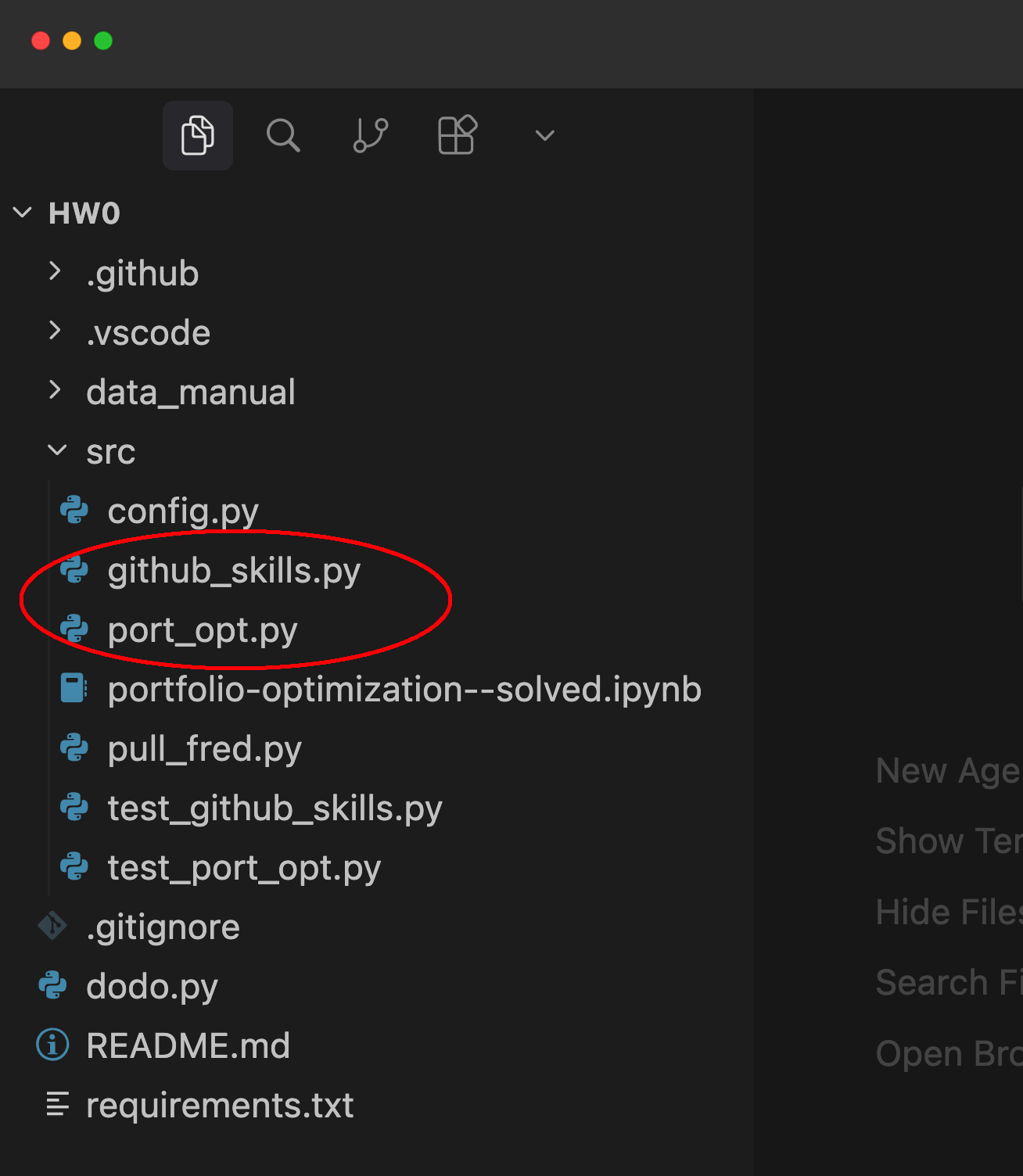
In order to complete the homework, you need to adjust the source files so that the unit test files pass. The unit tests are implemented in the files that start with test_FILENAME.py. The files indicated by the red bracket below are the test files. In HW0, you will need to edit github_skills.py and port_opt.py.
NOTE: You should not make any edits to the test files. If an edit is made, you will be required to edit the history of your commits to remove any trace of the edits to these files:
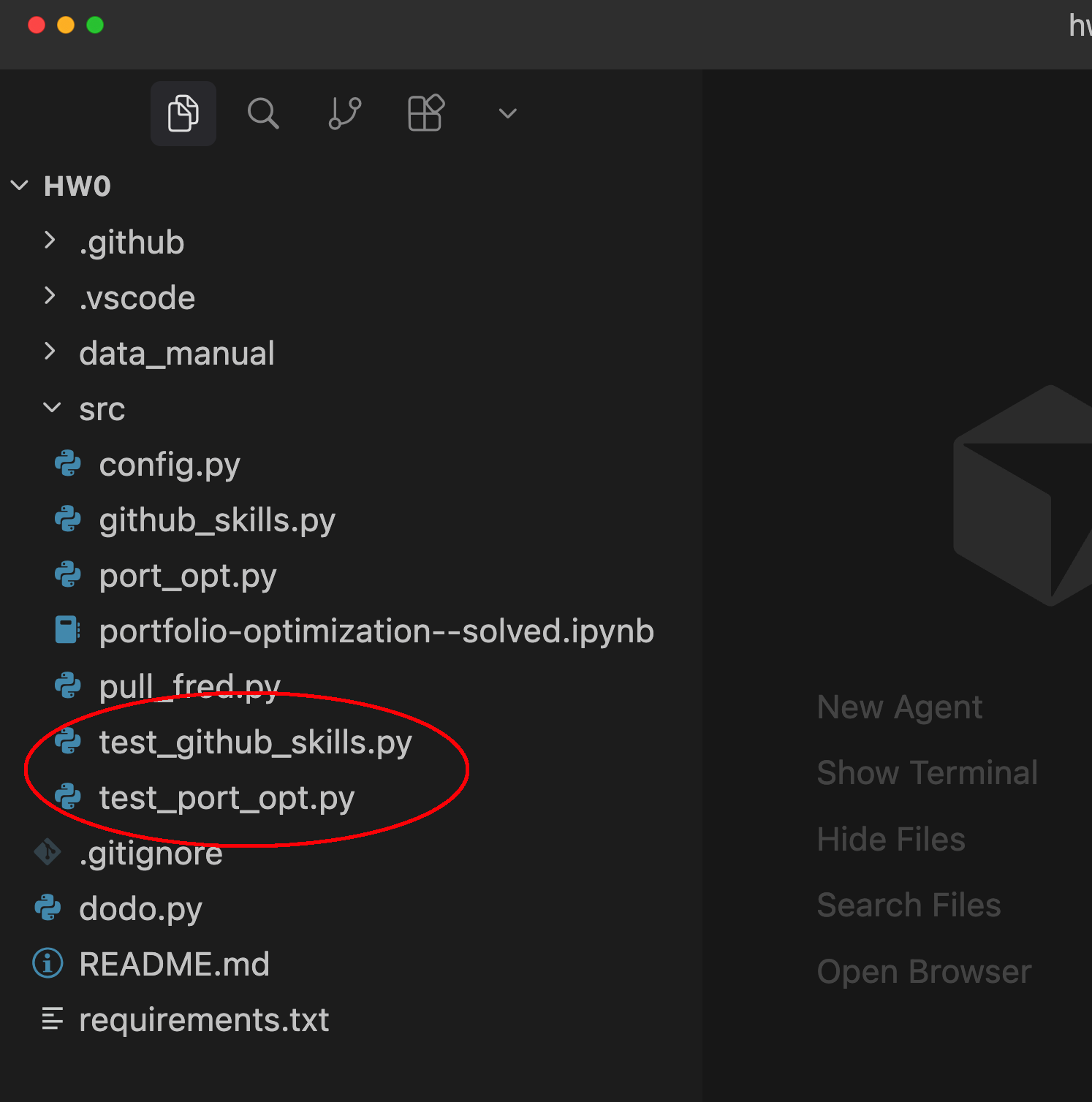
So, to complete the assignment, you should edit the source files that are being tested. That is, you should make edits to the files highlighted in yellow below:
GitHub Skills Tutorials#
In order to start mastering the many features of Github, please complete the following tutorials from the GitHub Skills page. Please make sure to use public repositories for this in your own GitHub user account. You will provide a link later to demonstrate that it was completed.
-
This will give you some ideas on how to more effectively communicate on the course discussion board.
-
Later in this course, we will use GitHub Pages to host a website. The textbook for this course is hosted on GitHub Pages.
Once you have completed these tutorials, you will receive points by adding the URL to your completed skills repos from above in the HW repo linked above and by indicating that you have finished this task by marking the unit test as passing (by editing the github_skills.py file and committing and pushing your changes).
Additional Resources#
See the Appendix for a video tutorial on setting up Python and Visual Studio Code.
Additional Notes about the HW#
Why are we doing it this way?#
The point of structuring the assignment this way is to give you experience with unit testing, CI/CD, and the concept of test-driven development. These are concepts that you should learn to level-up your software development skills. These are real-world development concepts and getting experience with them should move you beyond the over-simplified approach that you might find in a typical university problem set.
We discussed unit tests and test-driven development in class a little. If you’d like more in-depth information, please watch these YouTube videos:
“Software Testing Explained in 100 Seconds” (This short video is written from the perspective of a web developer, but the same concepts apply to us.)
“Test-Driven Development In Python // The Power of Red-Green-Refactor” (This video discussing unit testing with Python and PyTest.)
How can I check if my tests are passing?#
From the command-line, in the base directory of the project, run pytest. This is a local test. However, your grade will depend on whether the tests pass in GitHub Actions.
More information about Git and GitHub#
Also, if you’re looking for more instruction about how to use Git, here are two videos that I might recommend: